
The Mage Mailer digital mage and owl sending personalized messages to real local businesses

Personal Outreach. Powered by AI.

Mage Mailer finds the businesses you want to reach, researches the person behind each one, writes a message for that contact, sends it from your own address at a human pace, and helps you follow up by email and social outreach.

A little AI magic, a lot of human control. No email cannon required.

Personal outreach, not bulk email

Not another bulk email tool.

Bulk tools send one message to many people. Mage Mailer writes one message for one person — from what it has learned about their business — and sends it the way you would.

The Digital Mage does the repetitive work. You decide what gets sent.

Mass email

  • One message, thousands of recipients
  • Merge tags as “personalization”
  • Blasted in minutes
  • Compliance left to the sender

Mage Mailer

  • One message, one contact, real research
  • Written from the prospect’s own website and facts
  • Released one at a time, inside your sending window
  • Compliance safeguards enforced at send time
  • One contact at a time — every email is written for one person at one business.
  • Personal research: website, socials, people, company facts, and an AI website review.
  • Personalized writing graded and revised before you ever see it.
  • Controlled sending — hourly and daily limits, a sending window, one message at a time.
  • You review and decide what gets sent.
  • Social follow-up from a built-in worklist.
  • Built-in compliance safeguards in the send path.

Find → Know → Write → Send → Follow Up → Comply

Six things Mage Mailer does so you don’t have to

Each step of real outreach, handled in one platform — with you reviewing every message before it goes.

1. Find

Find the right businesses

Mage Prospect Finder

Search Google Maps-style business data by category and location, then enrich every result with emails, phone numbers, the person behind the business, their social profiles, and optional Company Insights.

  • Search by category and location
  • Enrich business and contact data
  • Capture social profiles
  • Optional Company Insights
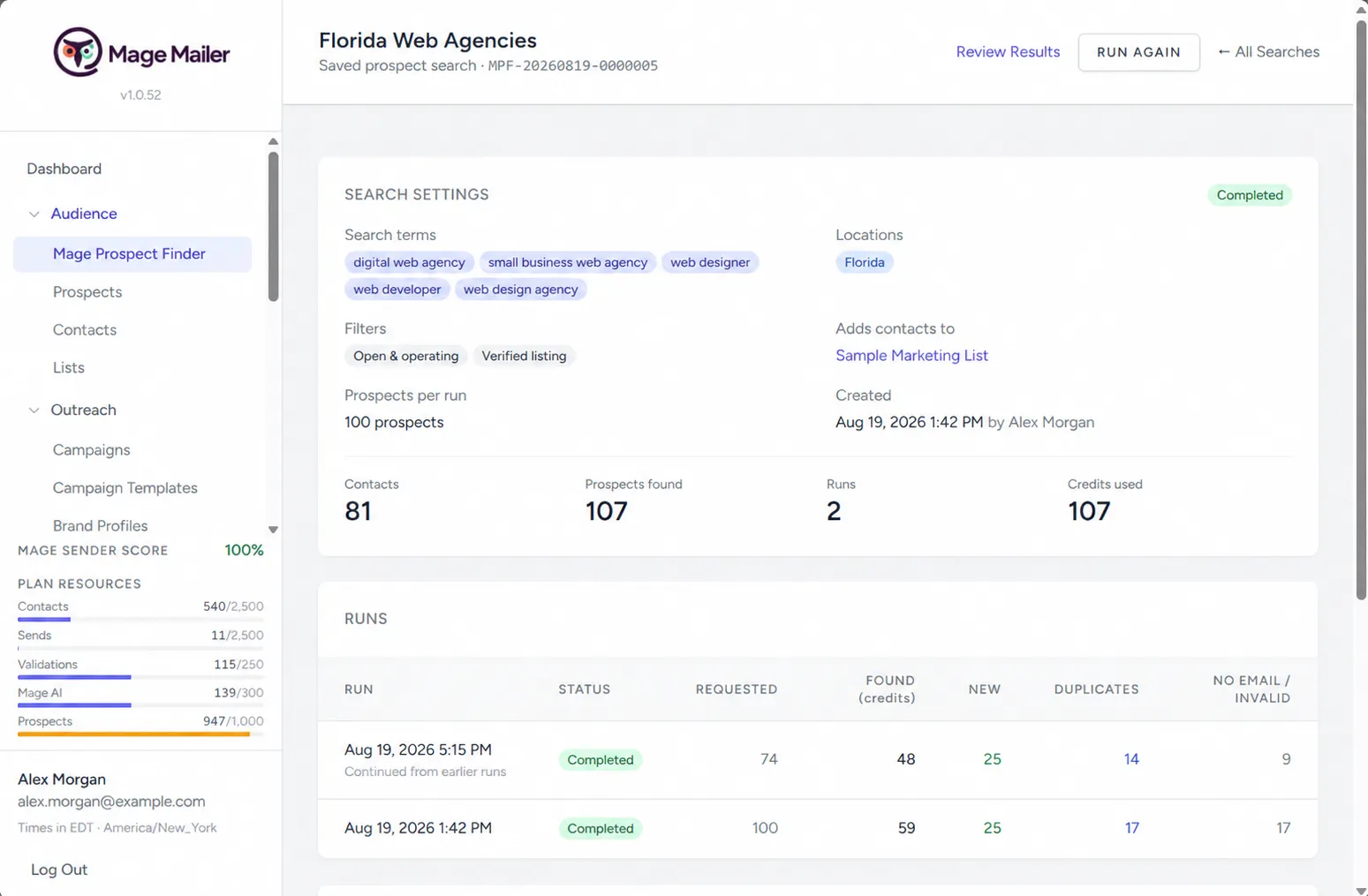
Prospect Finder search with saved searches and run history

2. Know

Know who you're writing to

Contacts + AI Research

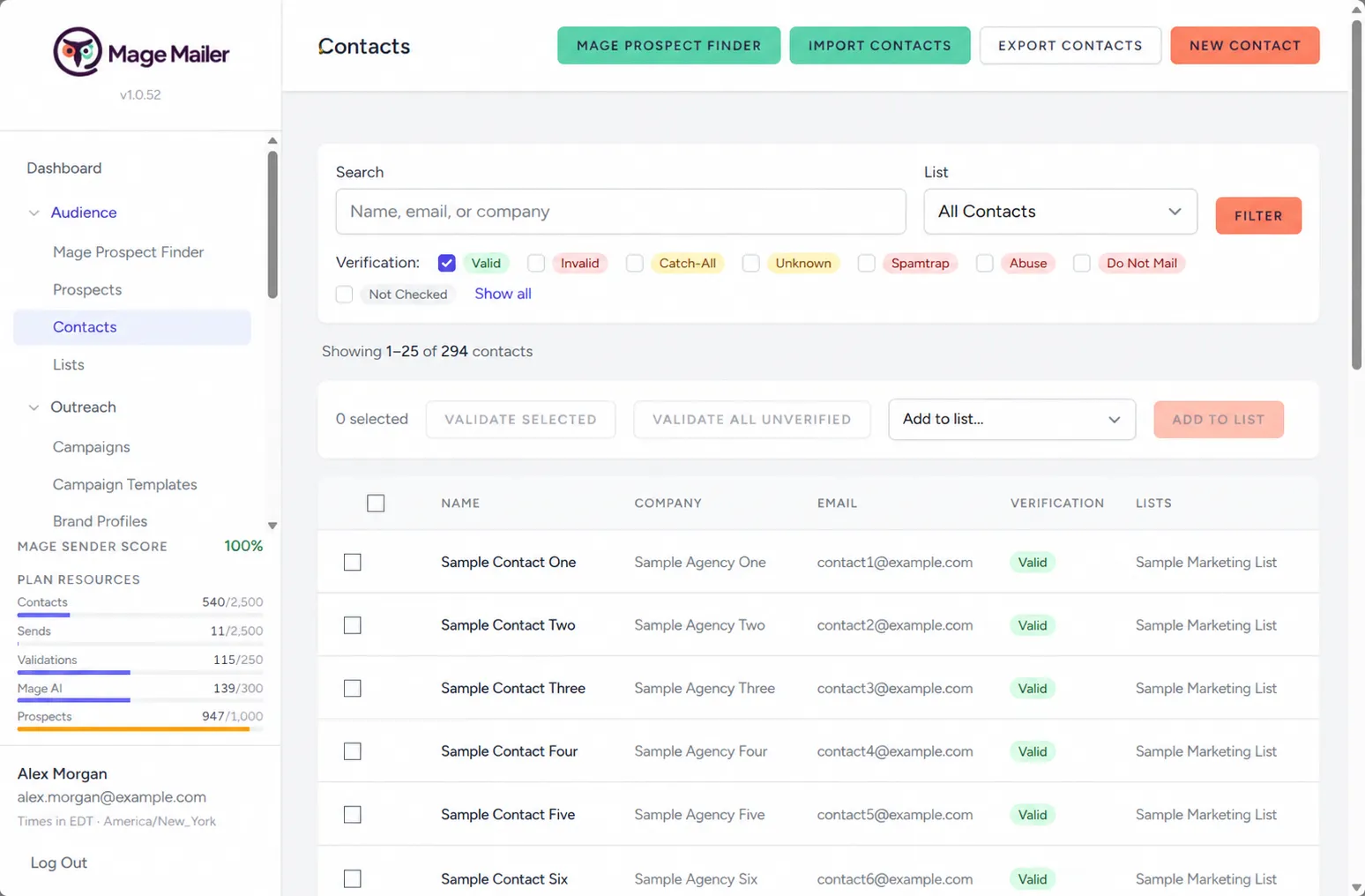
Every contact carries the business website, social profiles, people, company information, AI research, and a website review — so the message is written from what is actually true about that business.

  • Website and social profiles
  • People and company information
  • AI research
  • Website review
Contact detail with Prospect Finder data, AI research, and email history

3. Write

Write like a person, at scale

Mage AI

Mage AI writes one message per contact from contact-specific research, your Brand Profile, and the product or service you choose — then grades it, revises it once if needed, and appends your signature and tracked links.

  • One message per contact
  • Brand Profile and product context
  • AI grading and revision
  • Signature and tracked links
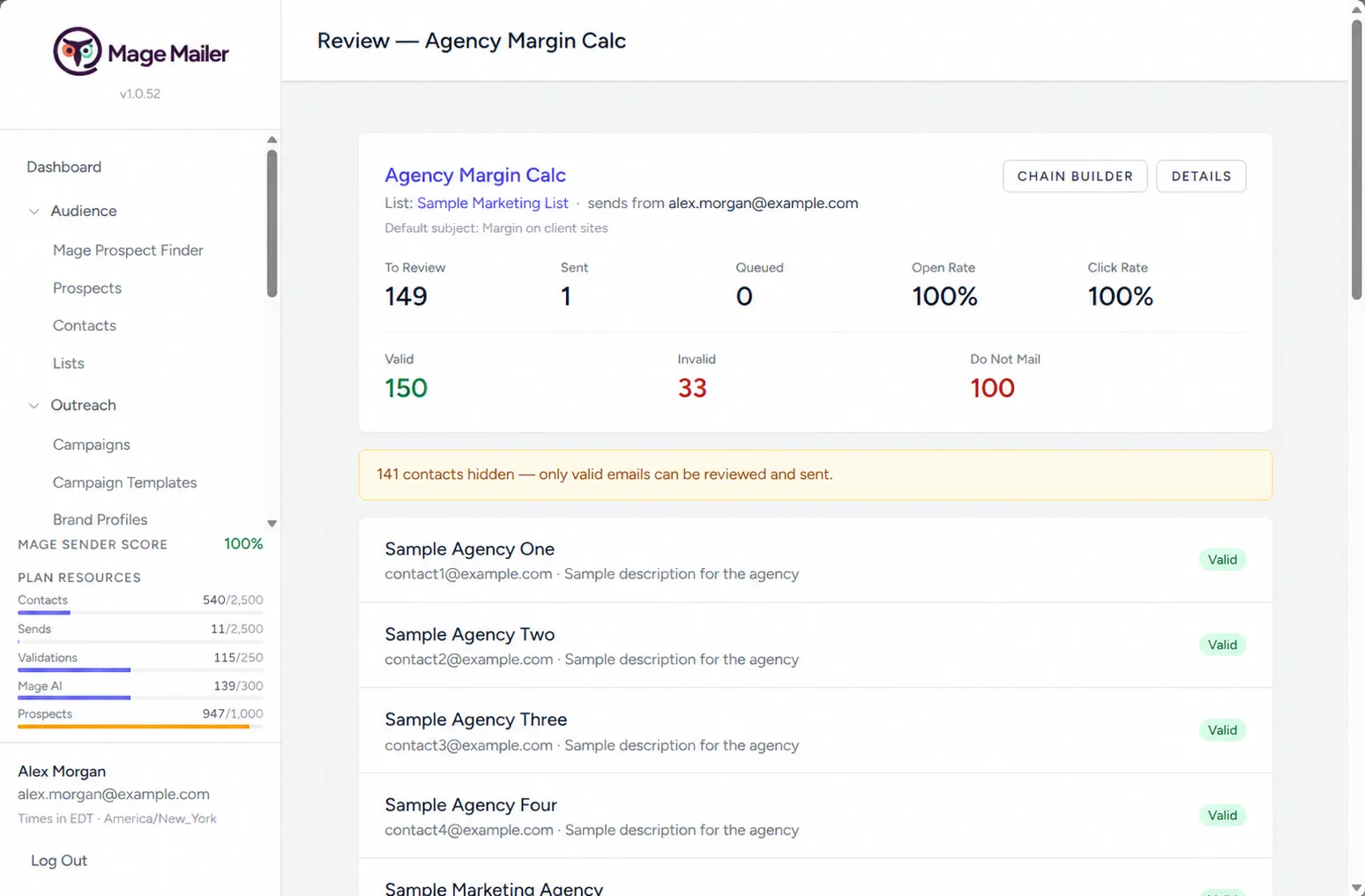
Review & Send with the Quality Check panel

4. Send

Send like a person

Sending Queue + Send Limits

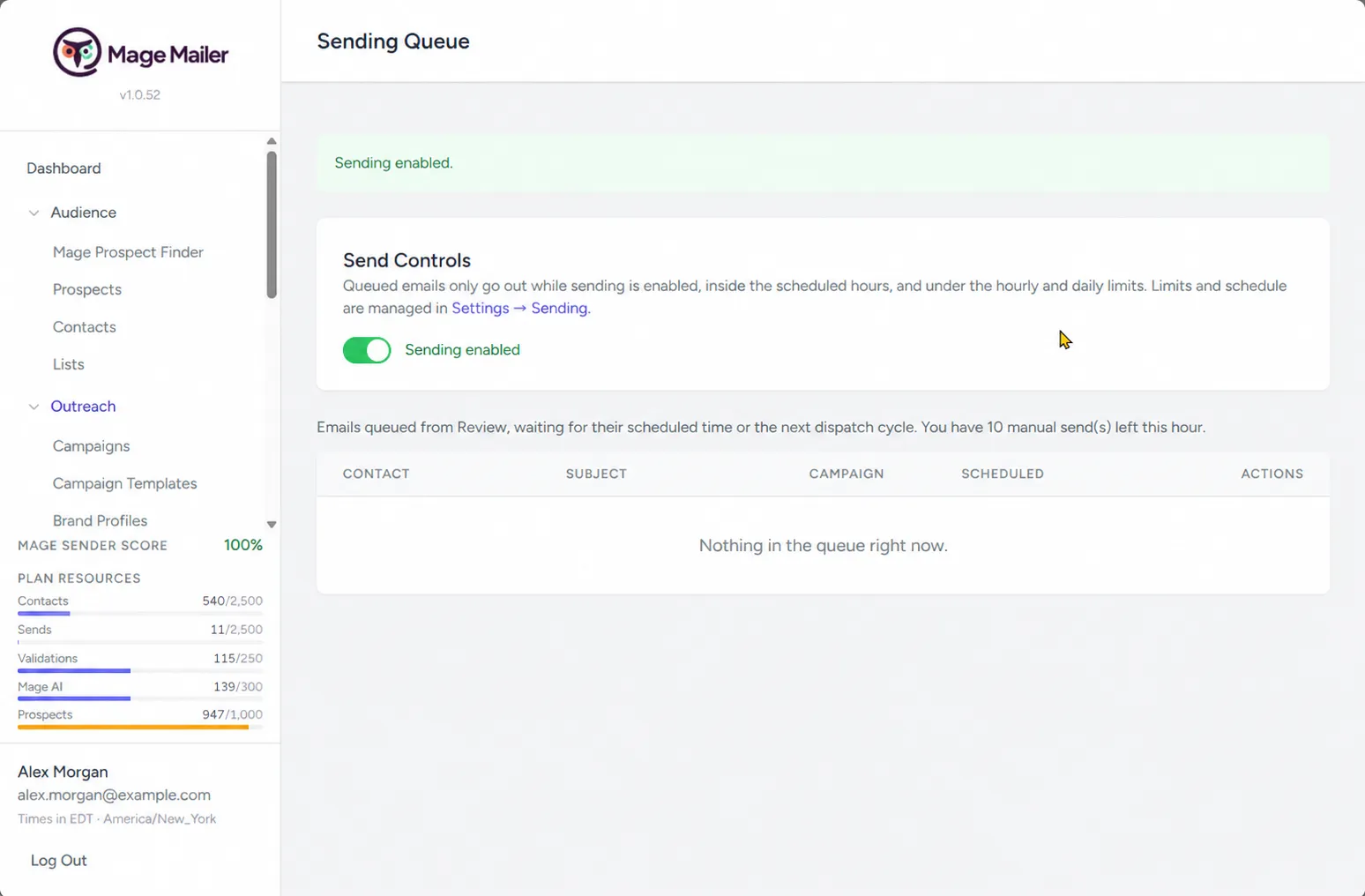
One message at a time from your own verified address, paced by hourly and daily limits and a sending window in your workspace time zone — with a review step for every message.

  • One message at a time
  • Hourly and daily limits
  • Sending windows in your time zone
  • Review before sending
Sending Queue with scheduled times, pause, send now, and remove

5. Follow Up

Follow up everywhere

Campaign Builder + Social Media

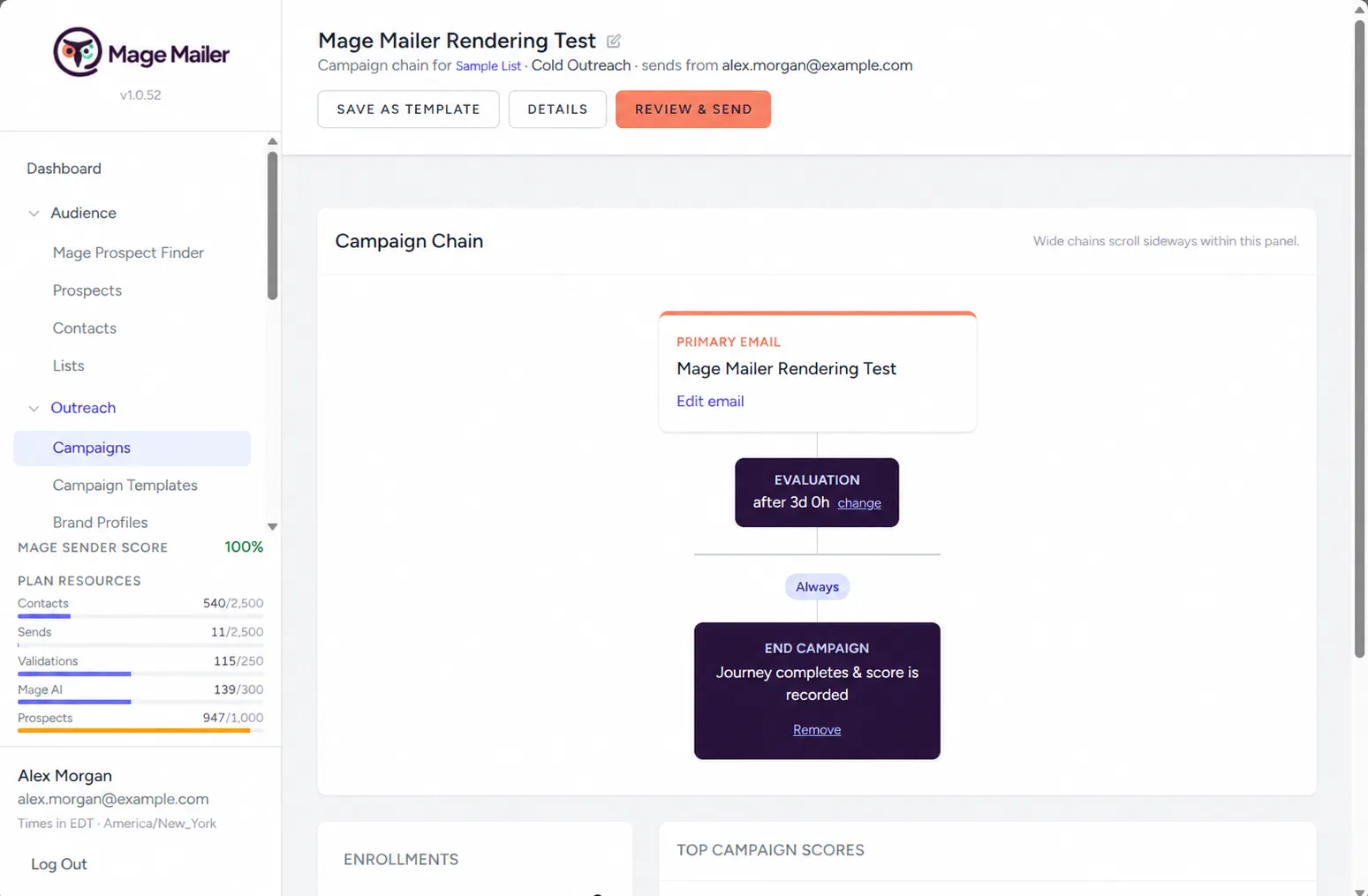
Branch follow-ups on opened, not opened, and clicked with wait periods between steps — and work each contact’s LinkedIn, Facebook, Instagram, and X profiles from a built-in social worklist.

  • Open and click-based branches
  • Wait periods and follow-up emails
  • Social outreach worklist
  • LinkedIn / Facebook / Instagram / X workflow
Campaign Builder chain and the Social Media worklist

6. Comply

Stay compliant by default

Email Compliance

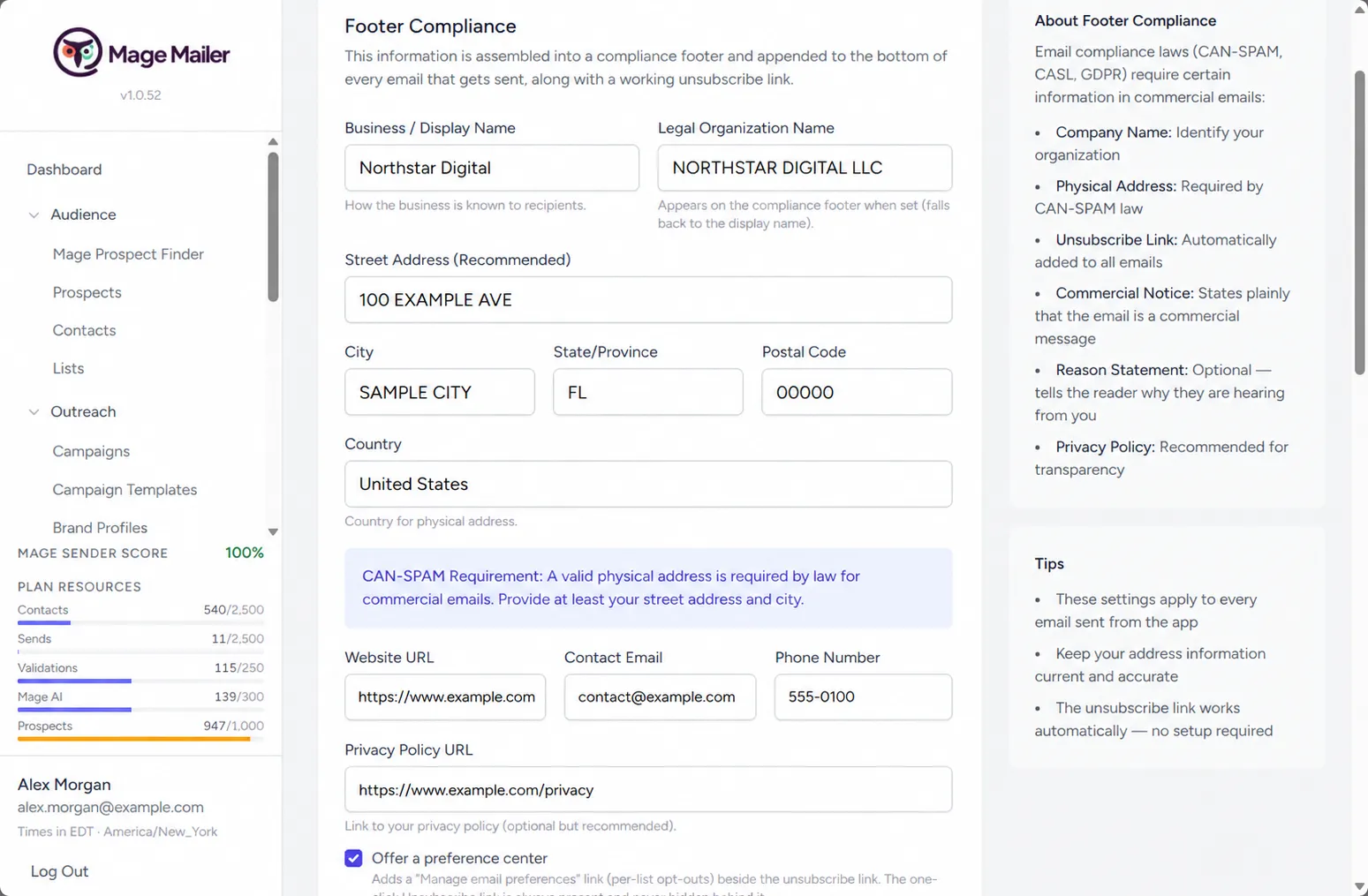
A compliance profile, required footer, one-click unsubscribe, suppression, consent tracking, an audit log, and a send-time compliance gate are built into the send path. There is no way to send without them.

  • Compliance profile and required footer
  • One-click unsubscribe and suppression
  • Consent tracking and audit log
  • Send-time compliance gate
Compliance settings with the Compliance Profile

How it works

From a search to a conversation in six steps

The same sequence every time — and you are in the loop at the review step.

  1. Find

    Search for real businesses by category and location with Mage Prospect Finder.

  2. Research

    Collect business facts, contact information, social profiles, company insights, and website context.

  3. Personalize

    Mage AI creates a message specifically for that contact.

  4. Review

    Review and edit every message before it enters the sending queue.

  5. Send

    Send from your verified identity at a controlled pace.

  6. Follow Up

    Use conditional email sequences and social outreach to continue the conversation.

Mage Prospect Finder

Find businesses you actually want to contact.

Enter search terms and one or more locations, choose filters and how many prospects you want per run, pick the list new contacts should join, and optionally turn on Company Insights. Then run it.

  • Saved searches with full run history
  • Run again continues from where the previous run stopped
  • The same saved search never intentionally re-buys the same business
  • Businesses with a usable email become contacts on your list
  • Businesses without a usable email stay visible as prospects

Searches use Prospect Credits — one per standard prospect, two with Company Insights. Details on the pricing page.

Search terms × locations, filters, target list, and Company Insights

Mage AI

AI that learns before it writes.

Mage AI is not a single “write” button. It is woven through the workflow — researching the contact, reading their website, drafting the campaign, planning the follow-up chain, writing each email, grading it, and revising it once if it is not top-grade.

  • Contact research
  • Website review
  • Campaign creation from a URL
  • Campaign chain generation
  • Brand Profile generation
  • Signature generation
  • Email creation
  • Email grading and revision
  • Image generation
  • AI Prompt Log transparency
Ship-ready draft with the Quality Check panel

Personal outreach — email and social

Outreach is a relationship, not a broadcast.

Every part of Mage Mailer is built so the person on the other end gets a message that was clearly written for them — and a follow-up that reacts to what they did.

One email per person

Written from what Mage Mailer knows about that specific business, sent from your own sending identity with your signature.

You control the message

Review, edit, and decide for every contact. Nothing leaves without passing through you and the compliance gate.

A human pace

Sending windows and hourly / daily caps in your time zone. The queue releases one email at a time.

Follow-ups that react

Branch on opened, not opened, and clicked, with waits between steps — planned by Mage AI if you like.

Social profile worklist

Walk the list contact by contact, open each LinkedIn / Facebook / Instagram / X profile, do the outreach yourself, and mark it done.

Context everywhere

Previous emails and their outcomes, research, and the website review are right there when you write the next one.

Email Compliance

Built-in CAN-SPAM-style compliance features and safeguards.

Mage Mailer does not rely on you remembering to add the required controls to every message. The compliance profile, footer, unsubscribe, suppression, and consent checks are enforced in the send path — and recorded in an audit log.

  • Compliance Profile
  • Required physical mailing address
  • Compliance footer
  • One-click unsubscribe
  • List-Unsubscribe headers
  • Manage preferences
  • Suppression List
  • Consent / source tracking
  • Compliance gate
  • Compliance Audit Log
  • Bounce / spam handling
  • Sending limits
Compliance Profile and send-path safeguards

Start personal outreach.

Find the right business, learn who is behind it, write a message worth reading, send it like a person, and follow up without turning outreach into a spreadsheet.